 Create your perfect AI girlfriend in minutes.
Customize her personality, appearance, and voice. Chat, photos and videos - free to start
Try it free →
Create your perfect AI girlfriend in minutes.
Customize her personality, appearance, and voice. Chat, photos and videos - free to start
Try it free →
From logos and characters to digital artwork and photos, just describe the image you want and our AI image generating tool will create the perfect graphic for your project. It’s FREE to try.
Our image generating AI is designed to be user-friendly and accessible to everyone. No matter your level of experience or expertise, you can easily create amazing images with our tool. Simply enter your prompt and let our AI do the rest – it's as easy as that!
1
Enter A Prompt above
Use the text input above to enter a prompt of your choice and click "Generate Artwork". This will take you to our AI Studio, where all you need to do is enter your email to continue.
2
GENERATE AI ARTWORKS
It only takes seconds and you'll receive a selection of images generated based on your prompt. From there, you'll be able to refine or re-generate your artworks, and share them with our community.
3
Join Our Discord
Discord is our free, easy to join community platform where news and announcements are posted. To stay updated about our AI Studio, join our Discord using the button at the top right.
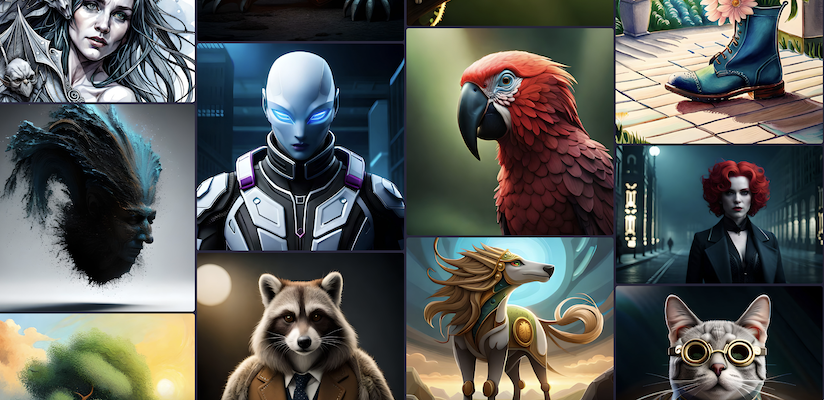
BlueWillow converts your prompt into AI artwork. Give it a try!

Logos
Graphics
Photo-realistic images
BlueWillow is a free AI image generator. You describe a picture in plain words - a prompt - and the model draws it for you in a few seconds. It started as a Discord bot in 2023 and grew into one of the larger free alternatives to Midjourney, with a community of several million people. BlueWillow now runs on LimeWire, which means the same prompt-to-image idea with a proper studio around it: higher resolutions, several models to pick from, and your images kept in one place instead of scrolling back through a chat log.
People mostly use BlueWillow for four things, and all four work from the same prompt box:
A prompt is not a search query, and that is the single biggest reason first results disappoint. Name the subject, then the style, then the framing, then the light: a red fox sitting in tall grass, oil painting, close-up, warm evening light gives a far better picture than fox. Add what you do not want as well - models respond to it. If a result is nearly right, change one thing at a time rather than rewriting the whole prompt; that is how you keep the parts that already worked.
The Discord server is still there and still free to join. It is the place to see what other people are generating, pick up prompt ideas and ask questions. The generator itself no longer lives only in chat - the studio on this site does the same job without the queue, and you can use both.
Yes. You can generate images without paying, and without a credit card. Paid LimeWire plans exist for people who need more generations, higher resolution and commercial use, but the free tier is a real tier and not a trial that stops after a day.
Yes. BlueWillow is part of LimeWire and the image generator is running. The Discord community is still open as well.
Images you generate are yours to use. Commercial use is covered on the paid plans - the details are in the LimeWire terms, which apply to BlueWillow too.
Midjourney is subscription-only and lives in Discord. BlueWillow is free to start and runs in the browser, so you do not need a Discord account to make a picture. Results differ by model and by prompt - the honest answer is to try the same prompt in both and judge the output.
Square images by default, with wider and taller framings available, and an upscaler for when you need print resolution rather than screen resolution.
Prompts work best in English, because that is what the models were trained on. Writing in another language usually still produces an image, but you get more control from an English prompt - even a rough one.
BlueWillow now runs on LimeWire. Leave your email to get product updates, tips and tutorials for creating the best AI pictures.

