
What Is the PHP Vulnerability? A Plain-English Guide
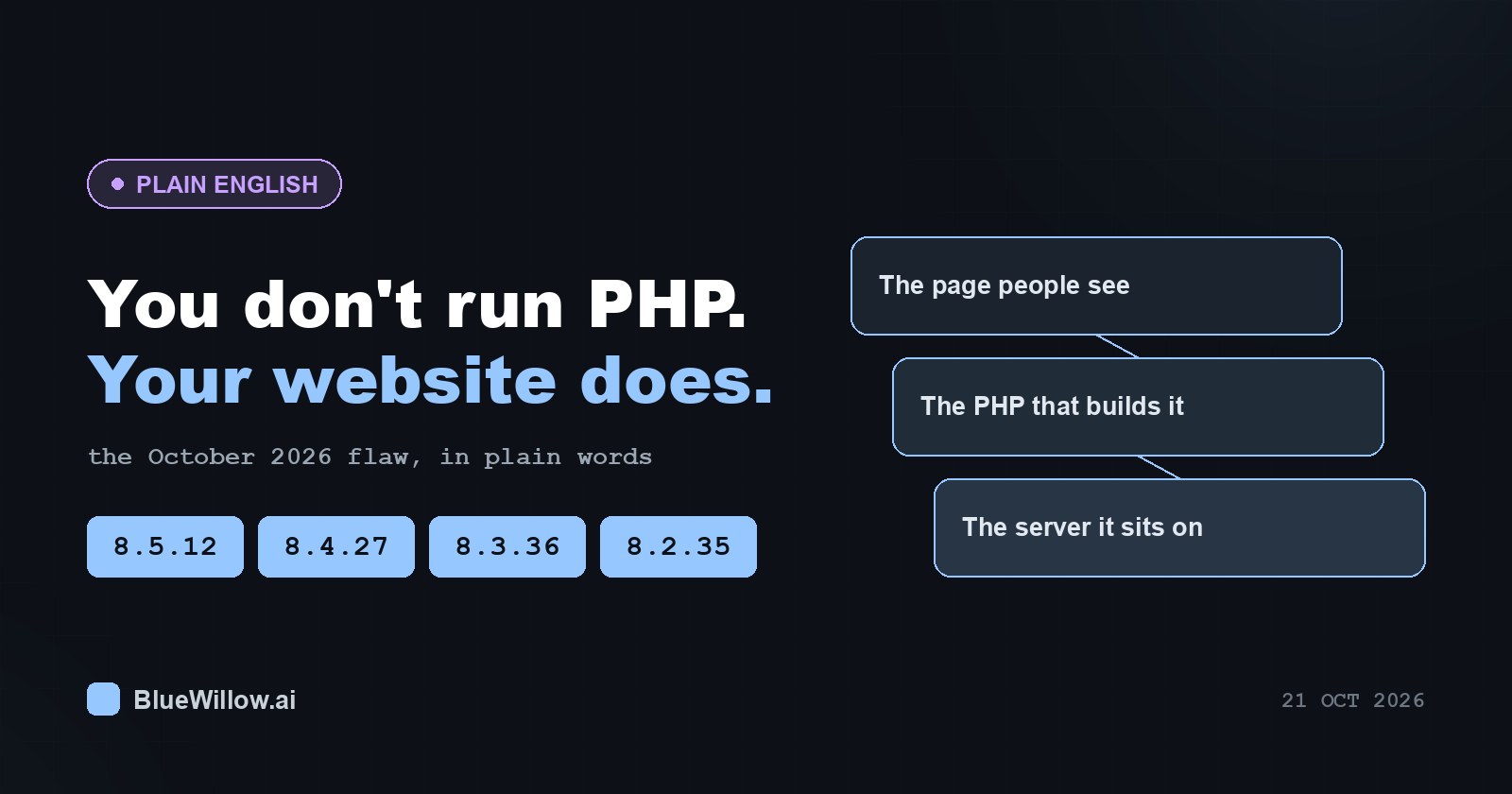
PHP, Explained Gently, Because Everyone Is Suddenly Talking About It
You have probably seen a headline this week about a “critical PHP vulnerability”, possibly with a nickname like PHP2Shell and a scary number next to it. If your honest reaction was I don’t even know what PHP is, and I just have a website, this article is written for you. No prior knowledge assumed, no jargon left undefined, and nothing you need to feel embarrassed about.
The 60-second version
- PHP is a programming language that runs websites. You do not have to write it to be using it.
- If you have a WordPress site, you use PHP. So do most small-business sites and online shops.
- A serious flaw was found and fixed on 21 October 2026. The fixed versions are 8.5.12, 8.4.27, 8.3.36 and 8.2.35.
- Your hosting company applies the fix, not you, in most cases.
- Your job is to ask them a clear question and get a version number in the answer.
First: what is PHP?
PHP is a programming language that runs on a web server and builds pages before they reach your browser. When you click on a blog post, your browser asks a server for that page. The server does not have the page lying around ready-made — instead, PHP runs, looks up the article text in a database, puts it into your site’s design, and sends back a finished page. All of that takes a fraction of a second and happens entirely out of sight.
A server, by the way, is just a computer that is permanently switched on and connected to the internet, usually rented from a hosting company. PHP has been around since the 1990s, and an enormous share of the web is built on it: WordPress, Drupal, Joomla and a long list of online shops.
“But my site is just a WordPress blog”
That sentence is the most common reason people assume this news is not about them, and it is the exact reason it might be.
WordPress is written in PHP. Every WordPress site — the simplest personal blog, a photographer’s portfolio, a parish newsletter — is a PHP application running on a server. You never see it, your theme hides it, your page builder hides it even more thoroughly, but it is there. Same for WooCommerce shops and most of the small-business web.
So “I just have a blog” does not mean “this does not apply to me”. It means “someone else manages the part of my site this applies to”, which is a far more comfortable situation.
What was actually found?
Two flaws in PHP itself, named CVE-2026-109618 and CVE-2026-109619. A CVE identifier is simply a catalogue number used worldwide so everyone discusses the same flaw. Both were published and fixed on 21 October 2026.
Security people score flaws from 0 to 10. These scored 9.8 on CVSS v3.1, the “drop what you are doing” end of the scale, because of the type of flaw: remote code execution.
What “remote code execution” means in human terms
Normally, a website only does what it was built to do: show pages, accept comments, take orders. Remote code execution means someone on the internet can make the server run their instructions instead, without needing a password.
A plain analogy: a vending machine is supposed to take coins and hand out snacks. Imagine someone finds that one particular coin, inserted a particular way, lets them reprogram it. They are not stealing a chocolate bar; they now decide what the machine does.
For a website, that can mean changing what visitors see, reading information stored on the site, sending spam from your domain, or leaving something behind that keeps running after everyone stops paying attention.
One detail makes this especially serious: on common server setups the flaw can be triggered before your website’s own code runs at all. Your login page, your security plugin and your strong password are all parts of your website — and here they are simply not in the path. That is not a failing on your part; it is why the fix has to come from the server level.
For anyone who wants the full engineering story, or who wants to forward something concrete to a developer, our main article has the detailed technical write-up and fixes for each platform.
The versions that are safe
PHP comes in branches, a bit like model years. You need the first fixed release within your branch:
| PHP branch | Safe from this version onward |
|---|---|
| 8.5 | 8.5.12 |
| 8.4 | 8.4.27 |
| 8.3 | 8.3.36 |
| 8.2 | 8.2.35 |
If your site runs PHP 7.4, 8.0 or 8.1, those branches are end-of-life — they stopped receiving updates some time ago — and no ready-made fix was released for them. In that case the conversation with your host is about moving to a newer branch.
You can see the official announcement on the PHP project’s own news archive, and the catalogue entry at NVD, the US national vulnerability database. If your site runs on Ubuntu, your host may refer to security notice USN-8948-1.
What you can do, and what you genuinely cannot
You can:
- Find out which PHP version your site uses. In WordPress: Tools → Site Health → Info → Server. Most hosting panels show it too.
- Ask your host a direct question (wording below).
- Keep WordPress, plugins and themes updated — see the official WordPress update documentation.
- Make sure you have a recent backup before anyone changes anything.
You cannot, and should not try to:
- Install PHP yourself on shared hosting. The host controls it.
- Apply a “patch” you were emailed. Legitimate PHP updates never arrive as attachments.
- Download a free “security scanner” from a search result. That is the likeliest way to actually get hurt this week.
Exactly what to ask your hosting provider
Copy and paste this. You do not need to sound technical; you just need a version number back.
Hello — could you tell me which PHP version my site currently runs, and whether it includes the security fixes released on 21 October 2026 for CVE-2026-109618 and CVE-2026-109619? If it is not updated yet, when will it be? Please include the exact version number in your reply.
A good answer looks like: “Your site runs PHP 8.3.36, which includes the fix.” An answer of “Your site is secure, don’t worry” is not an answer — politely ask again for the number.
If you manage your own server
If you (or a friend who helps you) have command-line access, we published a free script that checks which PHP versions are present and whether they are patched. It is readable plain text, makes no network calls, collects nothing about you and does not need administrator rights, and it is used in two steps so you can read it before running it:
curl -fsSL https://blog.limewire.com/content/files/2026/10/php-exposure-check.txt -o php-exposure-check.sh
less php-exposure-check.sh
sh php-exposure-check.sh
SHA-256: c13cd5690c9d352c6a95e854602be2f330a0799435c05a8261037401fcf50255
Not comfortable with a terminal at all? The same script sits on our own platform as a plain download from the verified account @limewireofficial: open php-exposure-check.sh and read it as a text file before anyone runs it for you. There is no sign-up, no download cap and the link has no expiry date.
It finishes with 0 if everything it found is patched, 1 if something vulnerable or end-of-life is present, and 2 if it found no PHP at all. If none of that meant anything to you, that is completely fine — asking your host is the right path.
You are allowed to find this confusing
None of this is obvious if you did not grow up with servers. The reassuring part is that your task is small: find a version number, ask one question, ignore any helpful-sounding download, and make sure someone is doing the actual update.